
Nastyman!
Crotch Puncher 2000
- Joined
- Sep 27, 2002
- Messages
- 2,431
- Reaction score
- 3
- Points
- 0
- Age
- 45
- Location
- Next Gen Gamers Home Office
- Website
- www.nextgengamers.com
**Goop Tutorial** Photoshop 7.0
1. Pick two random colors.
2. Filter> Render> Clouds
3. Filter> Render> Diffrence Clouds
4. Duplicate the layer
5. Filter> Sketch> Crome... (On the new layer)
(Detail: 1 Smoothness: 10)
6. Reduce the Opacity to around 50%
7. Image > Adustments> Brightness/Contrast...
(Tool around with the settings until you get the desired effect.)
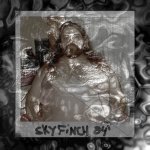
End result should be something like this:

1. Pick two random colors.
2. Filter> Render> Clouds
3. Filter> Render> Diffrence Clouds
4. Duplicate the layer
5. Filter> Sketch> Crome... (On the new layer)
(Detail: 1 Smoothness: 10)
6. Reduce the Opacity to around 50%
7. Image > Adustments> Brightness/Contrast...
(Tool around with the settings until you get the desired effect.)
End result should be something like this:
Last edited: